Resume Format for Freshers With Photo or Without It?
Should you use a resume format for freshers with photo in India? Compare ATS parsing data across IT, BFSI, aviation, and hospitality roles before you apply.
Why Indian Freshers Still Search for a Resume Format With Photo in 2026
Walk into most college stationery shops in India and ask for a CV template—you will get a two-column Word file with a passport-size photo box, father's name, and date of birth.
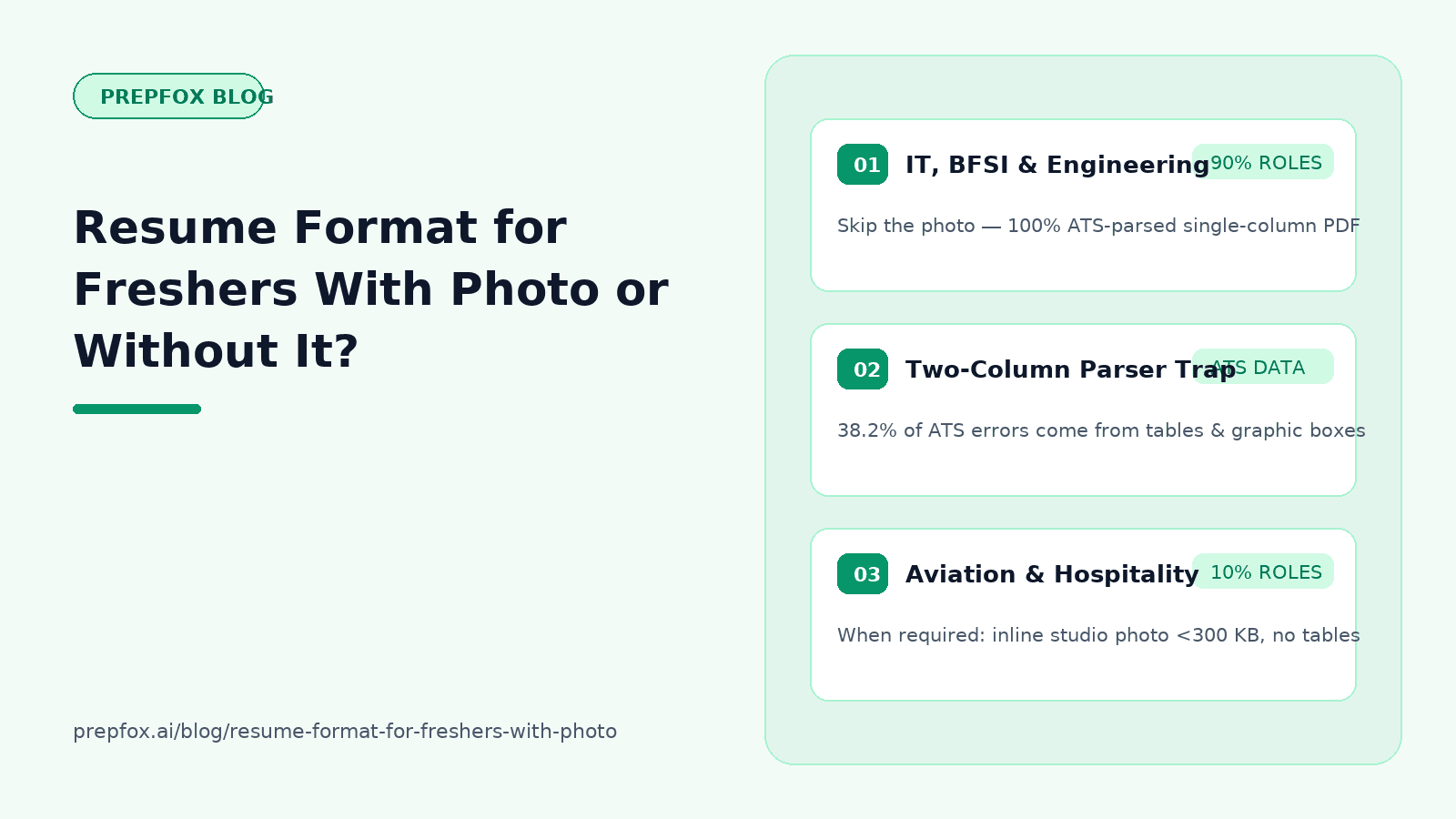
In 2026, that habit kills callbacks. Per the TrueCV India ATS Hiring & Resume Benchmark Report 2026 (25,300+ Indian CVs audited), 74.6% of resumes fail initial ATS parsing before human review, and 38.2% of rejections stem from multi-column layouts, tables, and graphics.
Before you upload your CV to Naukri, Superset, or a company career portal, you need to know when a resume format for freshers with photo breaks automated parsers—and the exact 10% of Indian industries where a headshot is still mandatory.
What Happens When an Indian ATS Hits Your Resume Photo?
Over 88% of mid-to-large Indian firms use ATS tools like Darwinbox, Workday, or Naukri RMS. As shown in Hirastra's 2026 Indian campus ATS guide, parsers like Textkernel extract your PDF into structured database fields.
Adding a photo causes three specific failures:
- The Two-Column Trap: To fit a photo beside your name, Canva and Word templates use a two-column table or text box. Parsers often read across rows instead of down columns, scrambling your email, phone, and degree.
- Header Band Blindness: In OwlApply's 2026 audit of 33,746 fresher resumes, 4.1% of freshers placed contact details and photos inside the Word document header band—an area many ATS parsers ignore completely.
- Lost Prime Space: Recruiters spend 5.4–6.4 seconds on an initial scan. A photo eats 15–20% of top-half space better used for GitHub links, CGPA, and projects.
When to Skip vs. Include a Photo on an Indian Fresher Resume
Use this industry matrix to decide whether your application needs a photo-free ATS layout or a photo-included format:
| Industry / Role Type in India | Include a Photo? | Why & What Recruiters Expect |
|---|---|---|
| Software, IT Services (TCS, Infosys), Data & Core Engineering | No (Never) | 100% ATS-parsed via Superset, Workday, or Naukri RMS. Lead with GitHub and projects. |
| BFSI, Consulting, Big 4, Finance & Operations | No | Strict anti-bias compliance at MNC banks and advisory firms; single-column text PDF required. |
| Aviation (Cabin Crew / Ground Staff) & Luxury Hospitality | Yes (Mandatory) | Grooming and customer-facing presentation are formal job requirements; follow airline specs. |
| Retail Management, Front-Office & Event Anchoring | Yes (If requested) | Walk-in drives often ask for a formal passport headshot in the top-right corner. |
How to Format Both Versions Without Breaking ATS Parsers
1. The Default Standard: Photo-Free Single-Column ATS Layout (90% of Freshers)
If you are applying for software, analyst, commerce, or core engineering roles, follow the structure outlined in our guide on the first job resume format nobody tells Indian students. According to NACE's Job Outlook 2026 Spring Update, employers rank problem-solving and teamwork proven through real project examples far above visual design.
- Lines 1–2 (Contact Body): Full Name, City,
+91mobile, professional Gmail, LinkedIn, and GitHub/Portfolio as plain selectable text in the main body (never inside a header box). - Lines 3–4 (2-Line Summary): Degree, graduation year, top 2–3 hard skills, and target role.
- Education & Projects First: Reverse-chronological degree with CGPA (if 7.0+), followed by 2–3 quantified projects using Action + Tool + Metric bullets.
2. The Hospitality & Walk-In Exception: Safe Photo Format (10% of Freshers)
If a hotel management, cabin crew, or walk-in retail job post explicitly asks for a resume format for freshers with photo, follow these rules so your PDF still parses cleanly:
- No Canva or Image-Scanned PDFs: Build the document in Word or Google Docs and export as a text-selectable PDF.
- Inline Image, No Tables: Keep a single-column layout. Anchor a studio passport photo (₹150–₹300, plain background, formal attire—never a selfie) in the top-right margin without putting contact text in a table.
- Keep File Size Under 1 MB: Compress the photo to 150–300 KB so portals like Naukri do not reject the upload.
5-Point Fresher Resume Checklist Before You Apply
- Run the Notepad Copy-Paste Test: press
Ctrl+Aon your PDF and paste into Notepad—if your contact details and project bullets appear in clean top-to-bottom order, the ATS can read it. - Build a clean single-column PDF in minutes using PrepFox's free ATS-friendly resume builder.
- Test your draft against your target job description using PrepFox's AI resume review tool to catch parsing errors and missing skill keywords before you apply.
Ready to put this into practice?
Practice mock interviews, build your resume, and get expert feedback — all on PrepFox.
More from PrepFox Blog
How to Crack Aptitude Interview Questions in Placements
How to crack aptitude interview questions in Indian placements: quant, reasoning and verbal sections, an 8-week plan, and test-day strategy.
9 Questions to Ask the Interviewer That Impress HR
Interview questions to ask the interviewer: 9 smart questions that impress Indian HR, what each one signals, and what never to ask in round one.
How to Answer Civil Interview Questions as a Fresher
How to answer civil interview questions as a fresher in India: slump test, foundations, cement tests and salary data for site engineer offers.